
Meeting Minutes Template
Take minutes that people actually read. Enter the meeting details, attendees and apologies, then for each agenda item note the key points, decisions and actions with owners and due dates. The template formats everything into clear minutes with an action list at the end, ready to print, email or download as a Word-compatible document.
- Free to use
- No sign-up
- Runs in your browser
Meeting minutes maker
Meeting Minutes & Agenda Templates
Editable Word templates for formal board minutes, team meeting notes and agendas, an Excel action tracker and a minute-taking checklist.
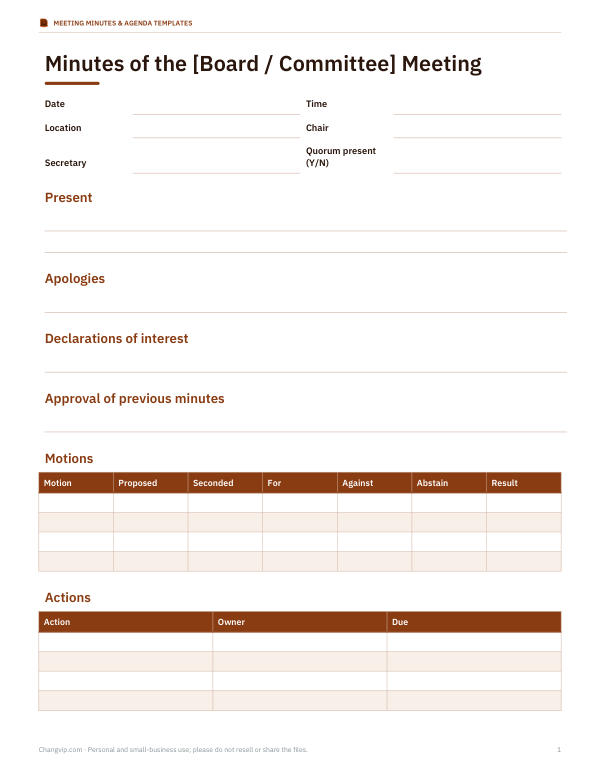
- Formal board minutes (DOCX)
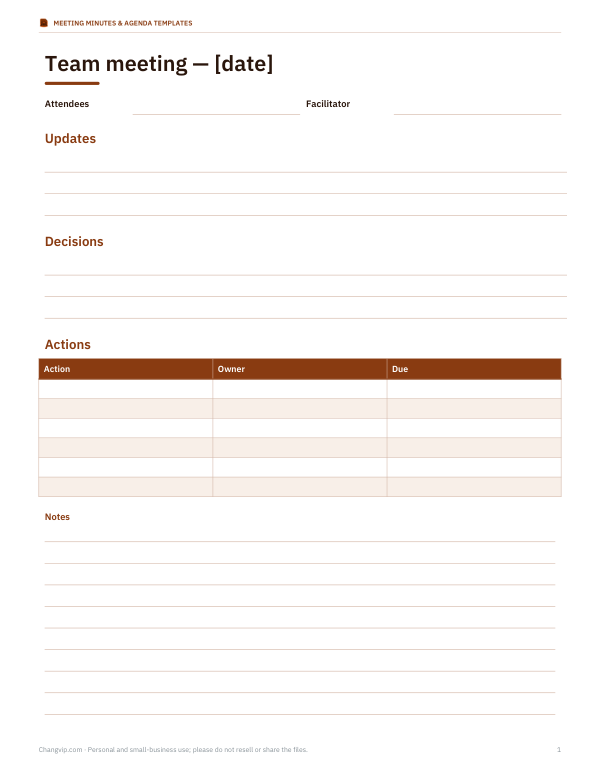
- Team meeting notes (DOCX)
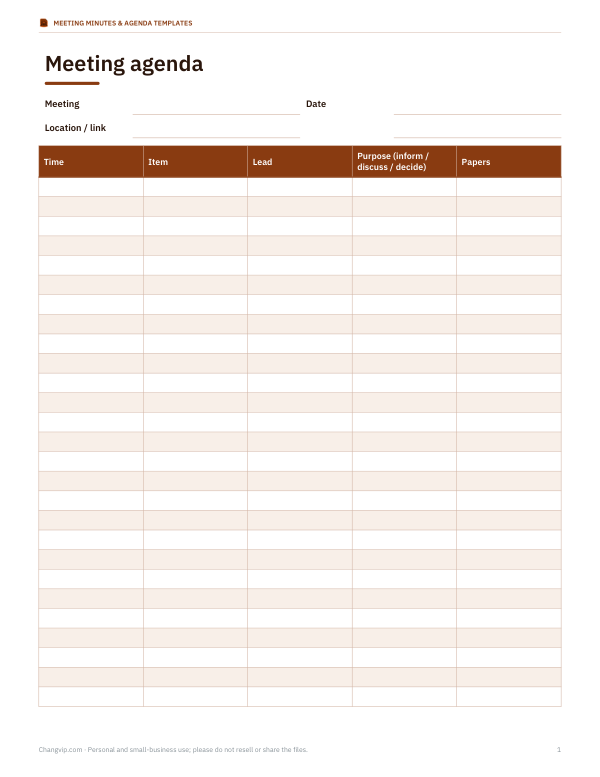
- Agenda template (DOCX)
- Action tracker (XLSX)
- Minute-taking checklist (PDF, DOCX)
Formats: DOCX, PDF, XLSX. Instant download after payment (link valid 72 hours, up to 5 downloads). AI-assisted: the templates were drafted with AI help and reviewed and laid out before publishing.
$4.00 USD, one-time 5 files · about $0.80 each
- Instant download
- 7-day refund
- Secure checkout by Stripe
7-day money-back guarantee. Full refund within 7 days of purchase, even after you download.
Free sample: Action Tracker (PDF, 62 KB)
Full refund within 7 days — see the refund policy and license.
Free printables
Single sheets you can print right now, no sign-up. The full pack adds every sheet in one download plus the editable files.
 Printable Action Tracker Template
 Printable Minute-Taking Checklist
What meeting minutes should record
| Section | Content |
|---|---|
| Header | Organisation or group, meeting type, date, time, place |
| Attendance | Who chaired, who took minutes, who was present, apologies received |
| Approval of previous minutes | Whether last meeting’s minutes were approved or corrected |
| Agenda items | Key points of discussion, not a transcript |
| Decisions | What was agreed, including votes where relevant |
| Actions | What will be done, by whom and by when |
| Next meeting | Date, time and place |
Minutes are a record of decisions and commitments. They do not need to capture who said what, word for word — a short summary of the main points and the outcome is usually more useful.
How to use the minutes maker
- Fill in the meeting name, date, time and place, the chair and the minute taker.
- List who was present and any apologies.
- For each agenda item, type the item title on the first line, then key points starting with “-”, decisions starting with “D:” and actions starting with “A:” in the form task | owner | due date.
- Leave a blank line between items.
- Check the formatted minutes on the right and the automatic action list at the end.
- Print, copy into an email, or download a Word-compatible file to edit and circulate.
Tips for taking good minutes
- Prepare a template from the agenda before the meeting, so you only fill in the outcomes.
- Record decisions exactly as agreed; ask the chair to confirm the wording if unsure.
- Give every action one owner and a due date.
- Summarise discussion in a sentence or two; avoid attributing opinions unless needed.
- Note when someone declares a conflict of interest or leaves the room for an item.
- Circulate minutes within a few days while memories are fresh.
Formal and informal minutes
Boards, committees, charities, school governors and homeowners’ associations often need formal minutes that record motions, who proposed and seconded them, and the vote. Team meetings usually need only brief notes of decisions and actions. Use the level of formality your organisation’s rules require; for bodies with legal responsibilities, minutes may be official records that must be approved, signed and kept for a set period.
Worked example
At a school PTA meeting, the minute taker enters the date, five people present and one apology. Under “Spring fair”, they note two discussion points, the decision to approve a $600 budget and two actions: P. Shah to send a volunteer reminder by 1 May and D. Ortiz to book tables by 25 April. The minutes maker lists these under the item and collects all three actions from the meeting into an action table at the end, which becomes the first thing reviewed at the next meeting.
Following up on actions
The action list is the most useful part of the minutes. Send it with the minutes, ask owners to confirm their actions, and start the next meeting by reviewing it: done, in progress, or carried forward. Actions that roll over repeatedly may need a different owner, a clearer task or a decision to drop them.
Approval and storage
In formal settings, draft minutes are circulated, corrected if necessary and approved at the next meeting, then signed by the chair. Keep approved minutes in a consistent place — a shared folder, a minute book or a board portal — with a clear naming convention such as 2026-04-15 PTA minutes. Some organisations must keep minutes for many years; check your constitution or legal requirements.
Remote and hybrid meetings
For video calls, note who joined remotely, and record any decisions made in the chat. If the meeting is recorded, the minutes should still stand on their own — few people will watch a recording to find a decision. Make sure attendees know about any recording and how it will be stored.
Minutes for small groups and clubs
Small groups — book clubs, sports clubs, residents’ associations, volunteer committees — often skip minutes, then struggle to remember what was agreed. Even a few lines help: who came, what was decided and who is doing what by when. Rotate the minute-taker role so it does not always fall on the same person, and keep all minutes in one shared folder so new members can catch up quickly. The minutes maker’s simple format is quick enough to fill in during the meeting itself.
Writing decisions clearly
A good decision in minutes can be understood by someone who was not there. Include what was decided, any amount or date, and any conditions: “Agreed to spend up to $600 on spring fair supplies, receipts to the treasurer by 30 May” is clearer than “Budget OK’d”. If a vote was taken, note the result; if a decision was deferred, record what information is needed and when it will come back.
Privacy
Minutes are generated in your browser; nothing you type is uploaded or stored.
Frequently asked questions
What should be included in meeting minutes?
Date, attendees, apologies, decisions, actions with owners and due dates, and the next meeting.
Do minutes need to record everything said?
No, just key points, decisions and actions.
How soon should minutes be sent?
Ideally within a few days of the meeting.
Can I edit the minutes in Word?
Yes, download the .doc file and open it in Word or a compatible editor.
How do I write an action item?
Start a line with “A:” then task | owner | due date.
Is my information stored?
No, everything stays in your browser.